Q3 2026 Update: MCP Server, Email Editing, Dashboard 2.0 & More
The official PayNow MCP server is here, email editing is live, the mobile app has push notifications, and Dashboard 2.0 is in open beta. Here's everything that shipped in Q3.
Our Official MCP Server Has Arrived
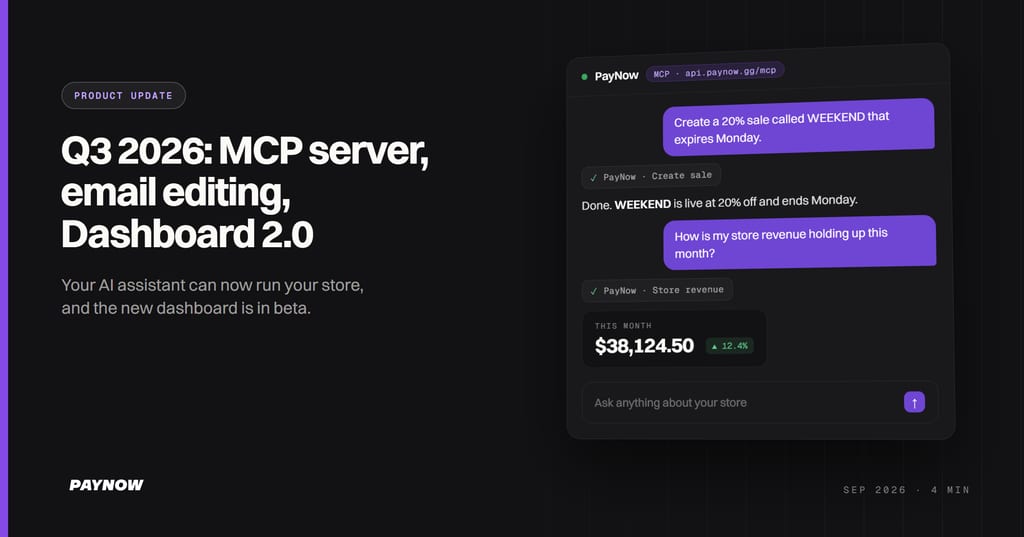
PayNow now has an official MCP server. Connect an AI assistant such as Claude, ChatGPT, Codex or Cursor to your store, ask for things in plain English, and it does them in your store. It can set up a new store or manage the one you already run, and it can create and edit templates. It can also read our guides, so it can answer questions about how PayNow works.
Every app connects to the same address: https://api.paynow.gg/mcp
There are two ways to connect:
- Sign in with PayNow. You approve it in a browser, tick the stores it may reach and choose what it can read and change. It can never do more than your own role allows. This is the right choice for most people, and it works in Claude, Claude Code, ChatGPT, Codex and Cursor.
- Use an API key. The assistant is locked to a single store, with a role you built just for it. Reach for this when it runs somewhere that can't open a sign-in page, such as a script. It works in Claude Code, Codex and Cursor.
A few things to ask once it's connected:
- How is my store revenue holding up this month?
- How many customers used PayPal to check out this month?
- Create a 20% sale called WEEKEND that expires Monday.
- How do tier groups work?
This is your real store. The assistant can make changes, and your customers see them straight away. Most apps ask you to approve a change before making it, but that is up to the app and its settings. If you just want to see what it can do, connect a store with no real customers, or use an API key whose role can only read.
The setup guide covers every app: https://docs.paynow.gg/guides/integrations-and-commands/ai-assistants/
For an even faster setup in Claude, use the official connector in Claude's directory: https://claude.ai/directory/paynow
This one is brand new, so tell us what works and what doesn't in our Discord.
Email Editing Is Live
Last quarter we said email customization was heading into testing. It's live. You can now create and customize templates for select emails, including upsell and purchase follow-up messages, and we'll add more email types once we've confirmed everything is running smoothly.
Templates are built with MJML, the industry standard for responsive email. You can also upload your logo in the Emails tab to show it on every email your store sends.
We've also added full delivery logs, so you can see every email sent to every customer. If someone says they never received an email, you can check exactly what happened.
- Manage your emails: https://dashboard.paynow.gg/emails
- View delivery logs: https://dashboard.paynow.gg/emails/delivery
Email editing is available on the Pro plan and above.
The Mobile App, Rebuilt, With Push Notifications
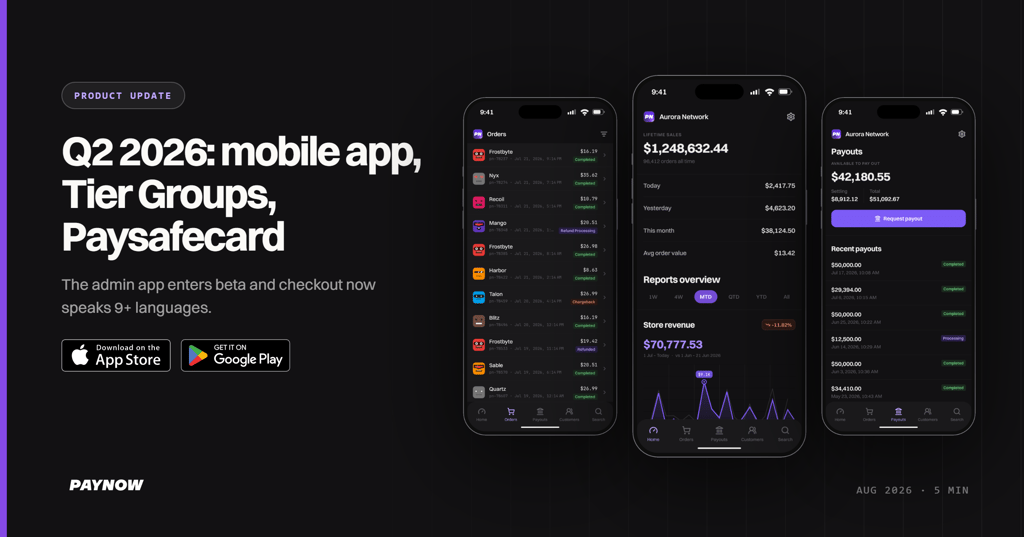
We've rebuilt the PayNow app from the ground up, adding haptic feedback and plenty more. Push notifications, which we promised last quarter, are live too: you can get a notification sent straight to your phone when an order comes in.
The app has been approved by Google and is available now on the Google Play Store. On iOS the App Store review is still pending, so for now it runs through TestFlight.
- Android: https://play.google.com/store/apps/details?id=gg.paynow.app
- iOS: https://testflight.apple.com/join/MNyqXvdr (you'll need Apple's TestFlight app from the App Store first)
Dashboard 2.0 Is in Open Beta
The new dashboard is ready to try. It's been a long road getting it to where it is today, and we'd love for everyone to start using it. Just log in with your usual PayNow account: https://beta.paynow.gg/
Please send us your feedback. We plan to fully launch it by the end of October, when it will completely replace the current dashboard.
A New Website and New Docs
paynow.gg has been rebuilt from scratch. The new site has a pricing calculator, a page for every payment method we support, and side-by-side comparisons with the alternatives, quoted from their own pricing pages.
The documentation has a new home too. Guides and developer docs now live on one site at docs.paynow.gg: the no-code guides for running a store on one side, and the Gameserver, Storefront, Management and Webhooks APIs on the other.
Plan Billing Now Runs on PayNow Checkout
Billing for store subscriptions has moved to PayNow checkout. When you pay for your plan, you now go through the same checkout your customers use.
If you're not yet on PayNow, you can get started at paynow.gg. Documentation is at docs.paynow.gg, and we're always available in Discord if you have questions.
m0uka
We build payments, tax and checkout for game servers and software companies. Questions about your setup? See pricing.
Sell as Merchant of Record
Plans from $0. Platform fees as low as 2.5%, charged after the gateway fee.
Get started free